Fewer recommendations
Hide the home feed, related videos, video end screens, and Shorts recommendation shelves. Keep search, subscriptions, channels, and direct video links.
 YT Rec Block
A little less feed. A little more focus.
Keep the useful parts. Hide distracting home feeds and YouTube recommendations in Safari on iPhone and iPad.
For Safari websites, not the native social apps.
Inside the app
Real iPhone and iPad captures.
Open any screenshot for a closer look.
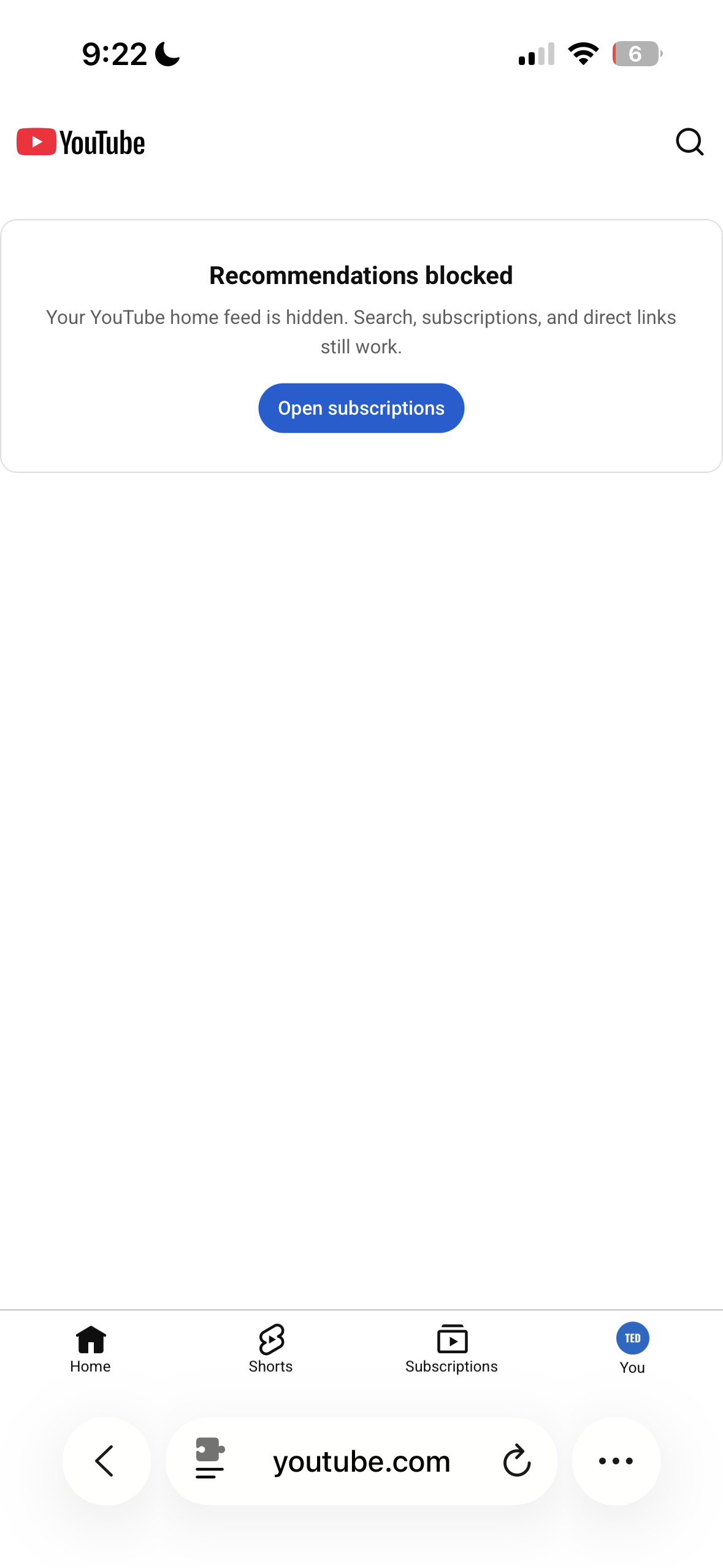
Skip the recommendation feed and go straight to what you came for.
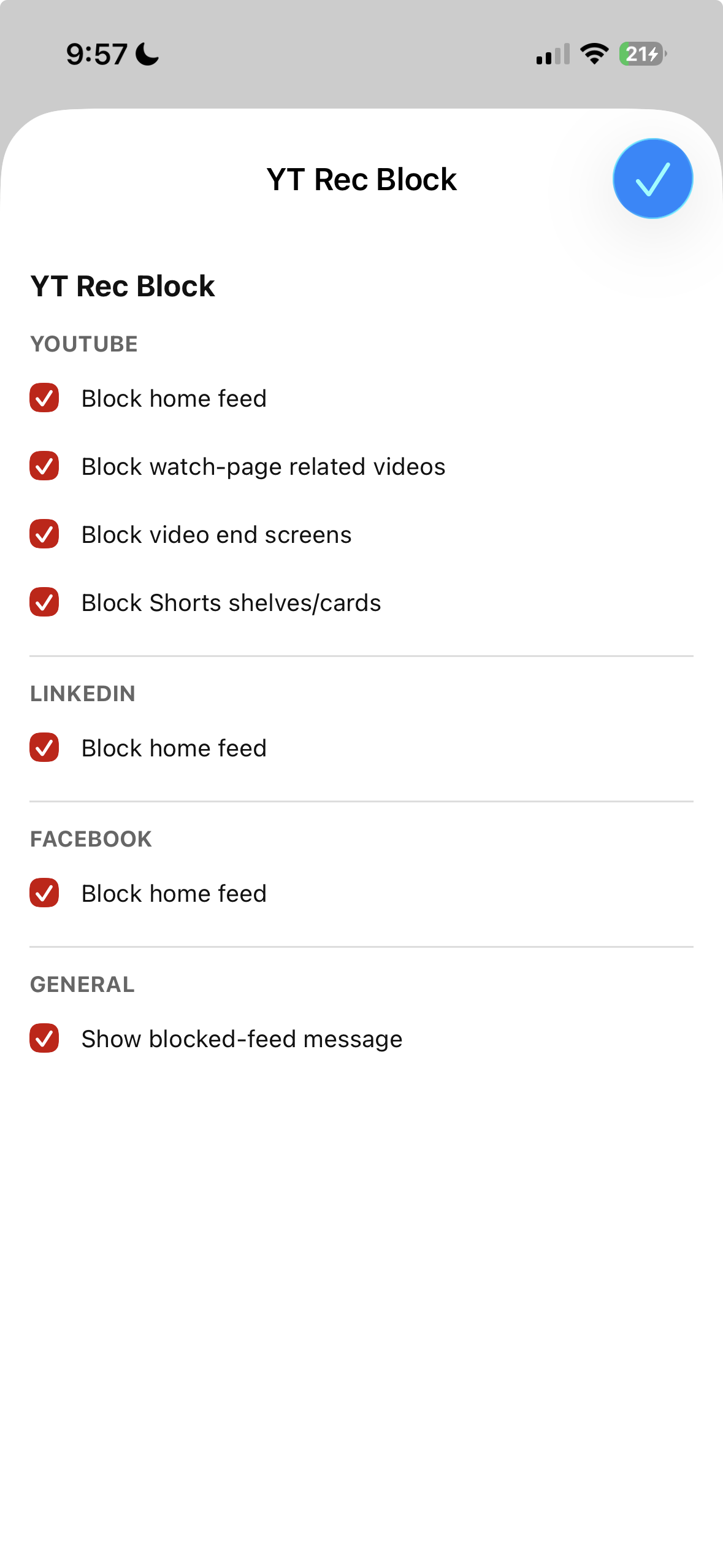
Separate controls for YouTube, LinkedIn, and Facebook, all in one extension.
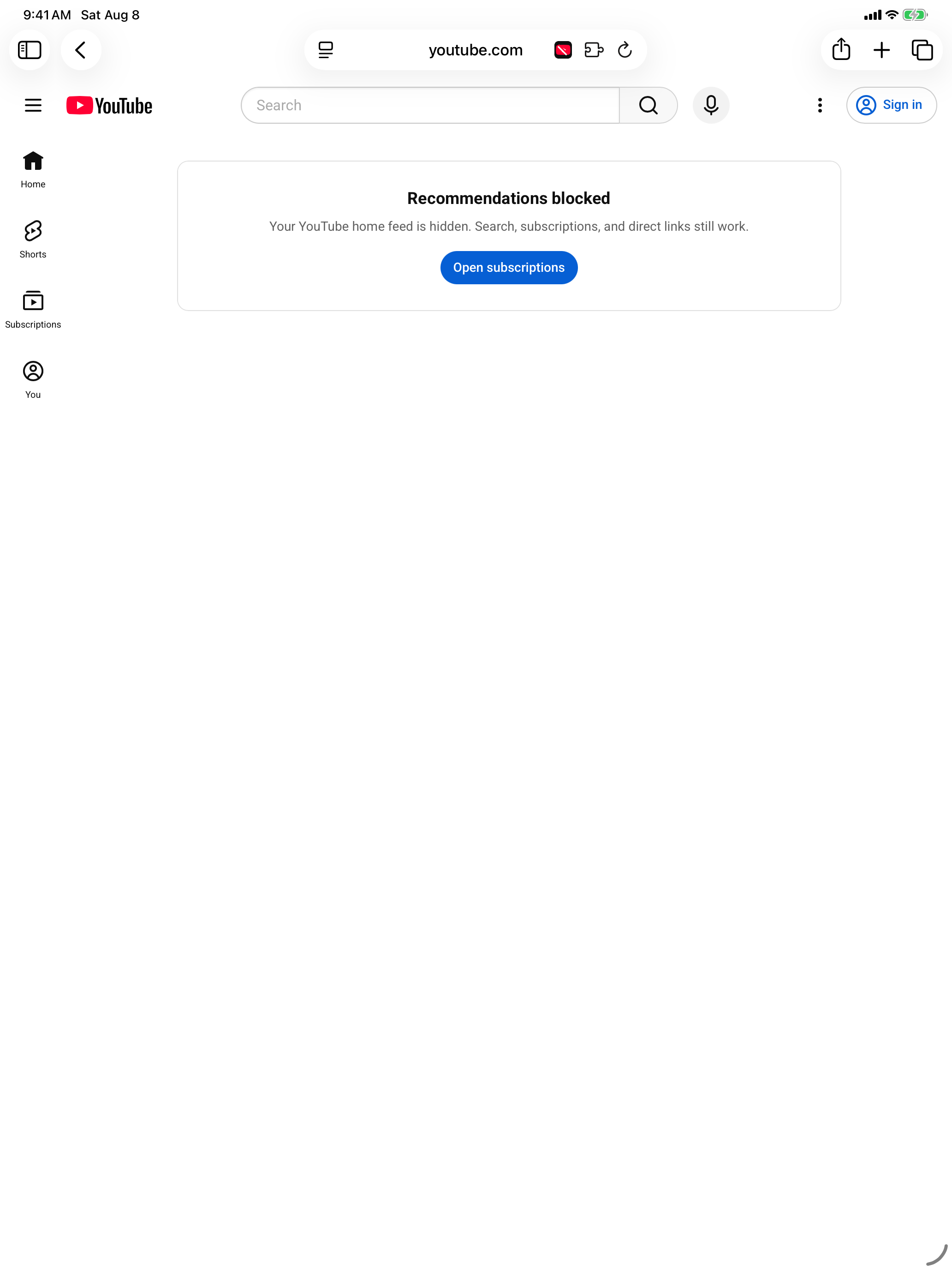
A calmer starting point on iPad, with YouTube search and subscriptions still there.
Screenshots show the extension as YT Rec Block. Its App Store name is YouTube, FB, LinkedIn Blocker. Appearance may vary by site and iOS version.
Three sites. One extension.
Hide the home feed, related videos, video end screens, and Shorts recommendation shelves. Keep search, subscriptions, channels, and direct video links.
Hide LinkedIn's home feed in Safari. Open the site when you have something specific to find, instead of starting with the feed.
Hide the Facebook home feed in Safari without blocking the entire website. Enable Facebook separately from your other sites.
Start here
Watch the short walkthrough, then allow the extension on each website you want to use.
Get YouTube, FB, LinkedIn Blocker from the App Store on your iPhone or iPad.
Visit youtube.com, linkedin.com, or facebook.com. Stay in Safari if you are prompted to open another app.
Open Safari's page menu, select Manage Extensions, and turn on YT Rec Block.
If prompted, choose Always Allow, then Always Allow on This Website. Repeat on each supported site and refresh the page.
Can't find Manage Extensions? Check Settings > Apps > Safari > Extensions. Menu names may differ by iOS version. Get setup help.
Good to know
No. This is a Safari extension for the websites on iPhone and iPad. It does not change the native social apps or other browsers.
Yes. YouTube search, subscriptions, channels, playlists, and direct video links remain available. The extension hides selected recommendation areas rather than blocking YouTube entirely.
The extension needs permission to hide feed elements on a supported website. You can allow each site separately and change permissions later in Safari's extension settings.
Only allow the sites you want to use. Enabling the extension on YouTube does not automatically grant access to LinkedIn or Facebook.
No. Feed filtering runs locally in Safari. Browsing activity and focus counters are not sent to the developer. If you choose to send feedback, your rating, optional note, and app details are submitted. Read the privacy policy for details.
Check that the extension is enabled and allowed on the current site, then refresh Safari. Websites change, so if something still gets through, contact support with the site, your iOS version, and a screenshot without personal information.
YouTube, Facebook, and LinkedIn. A little less distracting.
